
Encapsulation is one of the core concepts of Object-Oriented Programming (OOP) in Python.
It is the process of wrapping data (variables) and methods (functions) together into a single unit — typically a class — while restricting direct access to some of the object’s components.
In simpler terms:
Encapsulation helps hide sensitive data from being modified accidentally and ensures controlled access through defined methods.
What is Encapsulation?
Encapsulation means:
- Binding variables and methods into a single entity (class).
- Restricting direct access to class variables.
- Using access modifiers to control data visibility.
Example:
Think of a capsule medicine — the medicine (data) is hidden inside a shell (class), and you can only consume it in a controlled way.
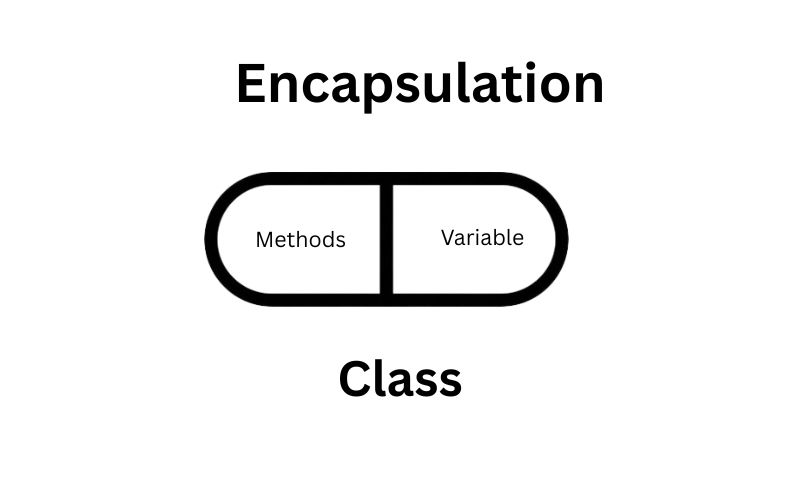
Real-World Example of Encapsulation
Imagine you have a bank account. You don’t directly access the bank’s database to change your balance. Instead, you:
Deposit money using a method.
Withdraw money using another method.
Cannot directly modify your account balance without authorization.
Want to Learn about Polymorphism in Python… Let’s learn here….
Why Do We Need Encapsulation in Python?
Encapsulation helps:
- Protect data from accidental modification.
- Enhance security by hiding sensitive information.
- Improve maintainability of code.
- Increase flexibility by allowing controlled data access.
Access Modifiers in Python
Python uses naming conventions to define access levels:
| Access Level | Syntax | Meaning |
| Public Members | variable | Accessible from anywhere |
| Protected Members | _variable | Should not be accessed outside the class (convention) |
| Private Members | __variable | Cannot be accessed directly outside the class |
Private Members
Private members are declared by prefixing with double underscores __.
Example: Encapsulation using Private Members
class BankAccount:
    def _init_(self, account_holder, balance):
        self.account_holder = account_holder  # Public
        self.__balance = balance  # Private

    def deposit(self, amount):
        if amount > 0:
            self.__balance += amount
            print(f"Deposited ₹{amount}. New Balance: ₹{self.__balance}")
        else:
            print("Invalid deposit amount!")

    def withdraw(self, amount):
        if 0 < amount <= self.__balance:
            self.__balance -= amount
            print(f"Withdrew ₹{amount}. Remaining Balance: ₹{self.__balance}")
        else:
            print("Insufficient funds or invalid amount!")

    def get_balance(self):
        return self.__balance
#Usage
account = BankAccount(“Saanvi”, 5000)
account.deposit(2000)
account.withdraw(1000)
print(“Final Balance:”, account.get_balance())
#Trying to access private variable directly (will fail)
#print(account.__balance) # AttributeError
Explanation:
__balance is private and cannot be accessed directly.
Access is only through deposit(), withdraw(), and get_balance() methods.
Protected Members
Protected members are prefixed with a single underscore _.
Example: Encapsulation using Protected Members
class Student:
    def _init_(self, name, marks):
        self.name = name
        self._marks = marks  # Protected

    def display_marks(self):
        print(f"{self.name}'s Marks: {self._marks}")
#Usage
s1 = Student(“Anita”, 85)
s1.display_marks()
#Accessing protected variable (possible but discouraged)
print(s1._marks) # 85
Explanation:
_marks is a protected variable — it can still be accessed but should be avoided outside the class.
Mainly used for inheritance.
How Encapsulation Enhances Code Security and Maintainability
- Prevents accidental data corruption.
- Hides implementation details from the user.
- Allows changes in class internals without breaking external code.
- Enforces validation before data modification.
Real-World Scenario with Encapsulation
Example: Online Shopping Cart
class ShoppingCart:
    def _init_(self):
        self.__items = []  # Private list

    def add_item(self, item):
        if item:
            self.__items.append(item)
            print(f"{item} added to cart.")
        else:
            print("Invalid item!")

    def remove_item(self, item):
        if item in self.__items:
            self.__items.remove(item)
            print(f"{item} removed from cart.")
        else:
            print("Item not found in cart!")

    def view_cart(self):
        return self.__items.copy()  # Return a copy for safety
#Usage
cart = ShoppingCart()
cart.add_item(“Laptop”)
cart.add_item(“Mouse”)
print(“Cart Items:”, cart.view_cart())
cart.remove_item(“Laptop”)
print(“Updated Cart:”, cart.view_cart())
#Direct access to __items not allowed
#cart.__items # AttributeError
Explanation:
- Data (__items) is hidden and accessed only through methods.
- Prevents unwanted modification.
Using Getters and Setters in Encapsulation
What are getters and setters?
Getter: A method that reads a private/protected attribute.
Setter: A method that writes to it, often with validation.
class Employee:
    def _init_(self, name, salary):
        self.name = name
        self.__salary = salary

    # Getter
    def get_salary(self):
        return self.__salary

    # Setter
    def set_salary(self, amount):
        if amount > 0:
            self.__salary = amount
            print("Salary updated successfully.")
        else:
            print("Invalid salary amount!")
#Usage
emp = Employee(“Ravi”, 40000)
print(“Current Salary:”, emp.get_salary())
emp.set_salary(50000)
print(“Updated Salary:”, emp.get_salary())
Conclusion
Encapsulation in Python:
- Groups variables and methods into a class.
- Restricts direct access to sensitive data.
- Enhances code security and maintainability.
- Works with public, protected, and private members.
- In Python, encapsulation isn’t enforced strictly (like in Java or C++), but naming conventions and careful design help maintain clean, secure, and maintainable code.
FAQ
What is encapsulation in Python?
Abstraction in Python
Difference between encapsulation and abstraction in Python
What are the 4 pillars of OOP in Python?
What is polymorphism in Python?